

If you’re wondering how to stream to TV using Hoopla, you’re in luck—watching movies and TV shows on your smart TV is easy and free with your library card. Hoopla has a dedicated TV app available for most major platforms, including Roku, Amazon Fire TV, Apple TV, and Android TV. Next time you want to binge-watch your favorite TV series or are looking for a family movie-night pick, Hoopla brings instant access to your living room.
Here’s how to install the TV app to your device and start streaming.
Download the Hoopla App on Your Smart TV
Roku TV
To install Hoopla on your Roku:
- From your Roku home screen, select Streaming Store.
- Go to Search Channels and type in “Hoopla.”
- Select Add Channel to download Hoopla to your Roku device.
Fire TV
To install Hoopla on your Fire TV:
- From the main menu, click the magnifying glass icon.
- Search for “Hoopla.”
- Click Get or Download to add the app to your Fire TV.
Apple TV
To install Hoopla on your Apple TV:
- Open the App Store from the home screen.
- Search for “Hoopla.”
- Select and install the Hoopla app.
Android TV
To install Hoopla on your Android TV:
- Navigate to the Play Store from your home screen.
- Search for the Hoopla app.
- Click to download and install the app.
How to Connect Your Hoopla Account
Once you’ve installed the app on your smart TV, you’ll need to validate your Hoopla account. The first time you open the app, you’ll see a 4-digit code on your screen.
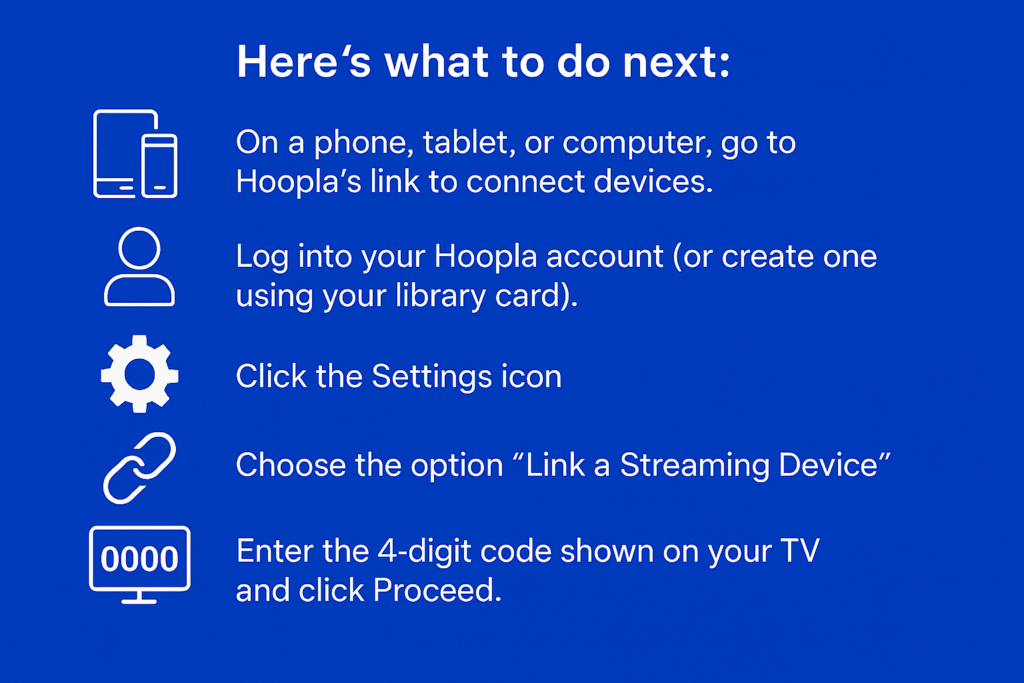
Here’s what to do next:
- On a phone, tablet, or computer, go to Hoopla’s link to connect devices.
You can find this link in Hoopla’s help section or directly at hoopladigital.com. This page is where you’ll pair your streaming device with your account. - Log into your Hoopla account (or create one using your library card).
Make sure to have your library card number and PIN handy if you’re signing up for the first time—it only takes a minute. - Click the Settings icon.
This is usually found in the top right corner of your Hoopla screen. It looks like a small gear. - Choose the option “Link a Streaming Device.”
This will bring up a screen where you can enter the pairing code from your TV. - Enter the 4-digit code shown on your TV and click Proceed.
Your device should confirm the link right away, and you’ll be ready to start streaming.
That’s it! You’re now ready to stream to TV with ease.
Final Tips
- Make sure your smart TV is connected to Wi-Fi.
- If you have an older TV, you can also use a Roku or Fire Stick to access Hoopla.
- New titles are added frequently—check back often for fresh content!
What Can You Watch with Hoopla?
Hoopla allows you to watch a huge variety of movies on smart TV devices—everything from popular documentaries and kids’ programming to current TV series and classic cinema. With no ads and no subscription fees, it’s a great way to enjoy content that’s already included with your library card.
Not sure where to watch from? Just open the Hoopla app, browse the library, and start streaming directly on your TV.
Ready to start watching? Visit hoopladigital.com and explore a world of entertainment right from your smart TV, or start with these suggestions:
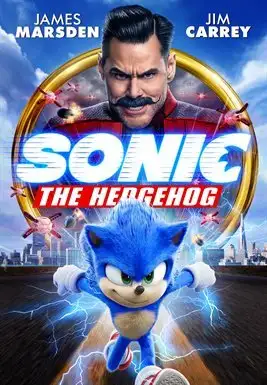
Sonic the Hedgehog (movie)
The world was looking for a hero—and got a hedgehog instead. Fueled by incredible speed, Sonic sets out to stop the villainous Dr. Robotnik from taking over the planet. Starring Jim Carrey, Ben Schwartz, and James Marsden, this action-packed adventure is fun for the whole family.

William Tell (movie)
Set in the 14th century during the era of the Holy Roman Empire, the story takes place as European nations battle for dominance. Amid rising tensions, the land-hungry Austrians push into peaceful, pastoral Switzerland in their quest for expansion.

Green and Gold (movie)
Facing the loss of his farm, a desperate farmer stakes it all on the Green Bay Packers winning the Super Bowl.
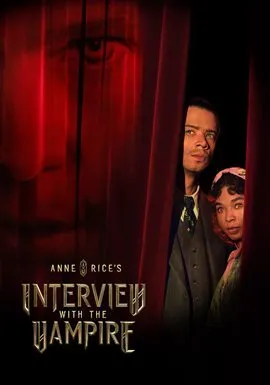
Interview with the Vampire season 2 (TV)
Daniel Molloy resumes his interview with the vampire Louis de Pointe du Lac. After a failed attempt to kill Lestat, Louis and Claudia travel to Europe in search of others like themselves, eventually discovering the Vampire Armand and his coven at the Théâtre des Vampires in post–World War II Paris.
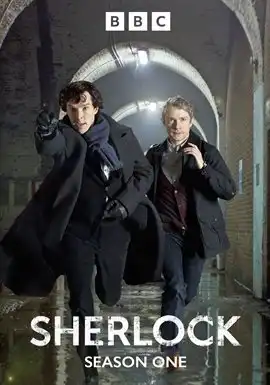
Sherlock season 1 (TV)
The adventures of Sherlock Holmes and Doctor Watson are reimagined in 21st-century London.


Endless entertainment.
No subscription required.
With Hoopla you can read, listen, and watch for free with your library card.
Get Started