

Using Your Online Library
Hoopla is like a key that opens the door to thousands of digital titles—anytime, anywhere. With hundreds of new titles being added every day, finding the right one for you can be daunting. Our experts work hard to organize Hoopla’s many eBooks, audiobooks, music, movies, TV shows, comics, and manga so you can spend less time searching and more time enjoying!
Here are some tips to help you master content discovery and make the most of everything Hoopla has to offer.
Use the Search Bar to Find Specific Titles
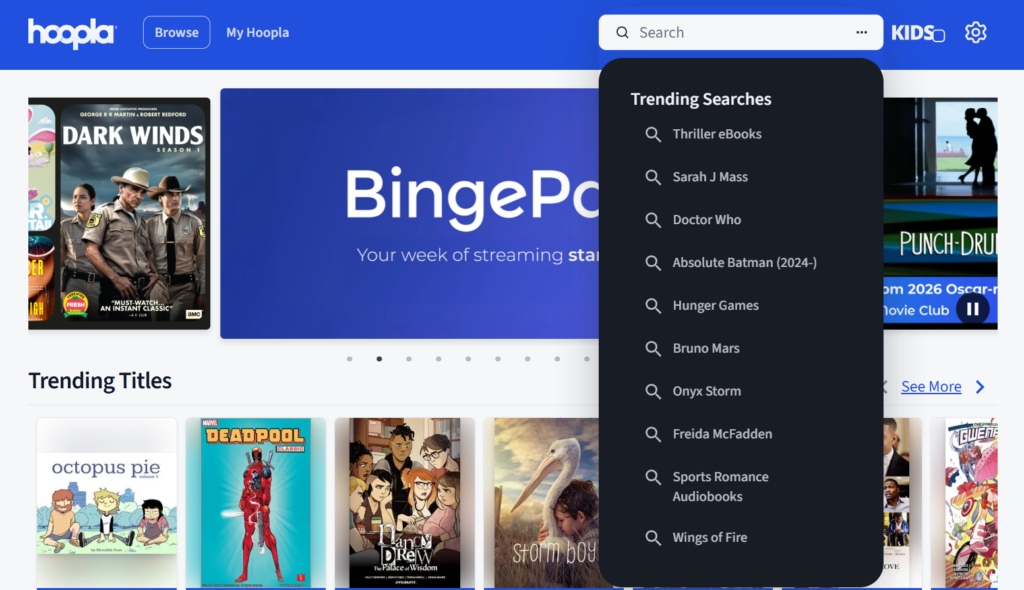
The fastest way to locate something in your Hoopla online library is by using the search bar at the top right of the screen.
- Click on the search bar. A dropdown of trending searches will open. (See what you’re looking for? If so, click on it.)
- In the search bar, type the title, author, or artist you’re searching for.
- Once you start browsing, you can narrow your options using filters. After selecting a format like eBooks, audiobooks, movies, etc., look for options to refine your results:
- Genre
- Release date
- Language
- Popularity
Use the Search Bar for an Advanced Search
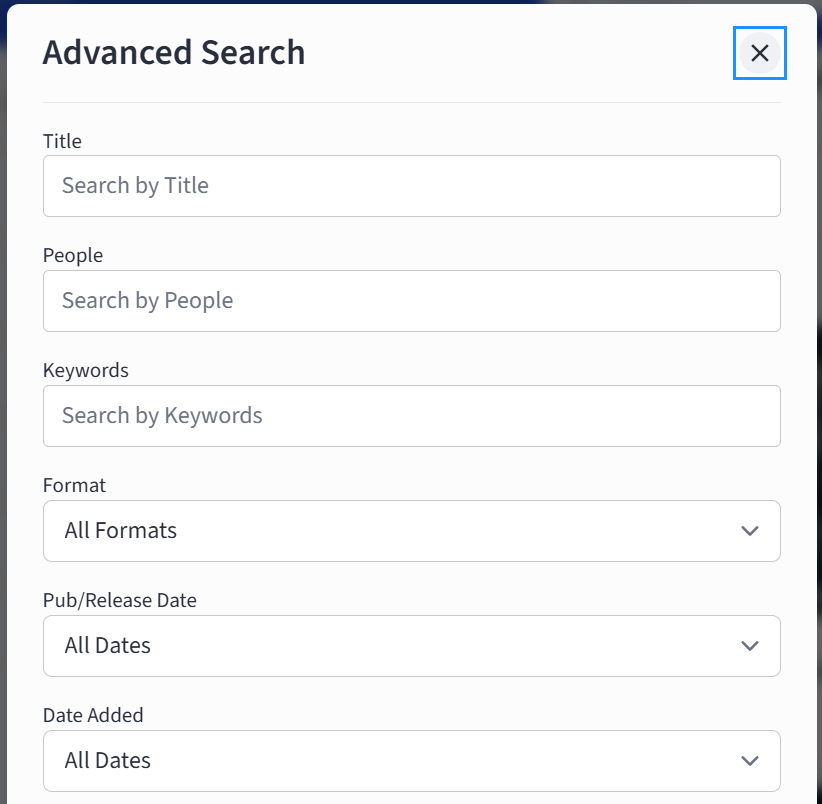
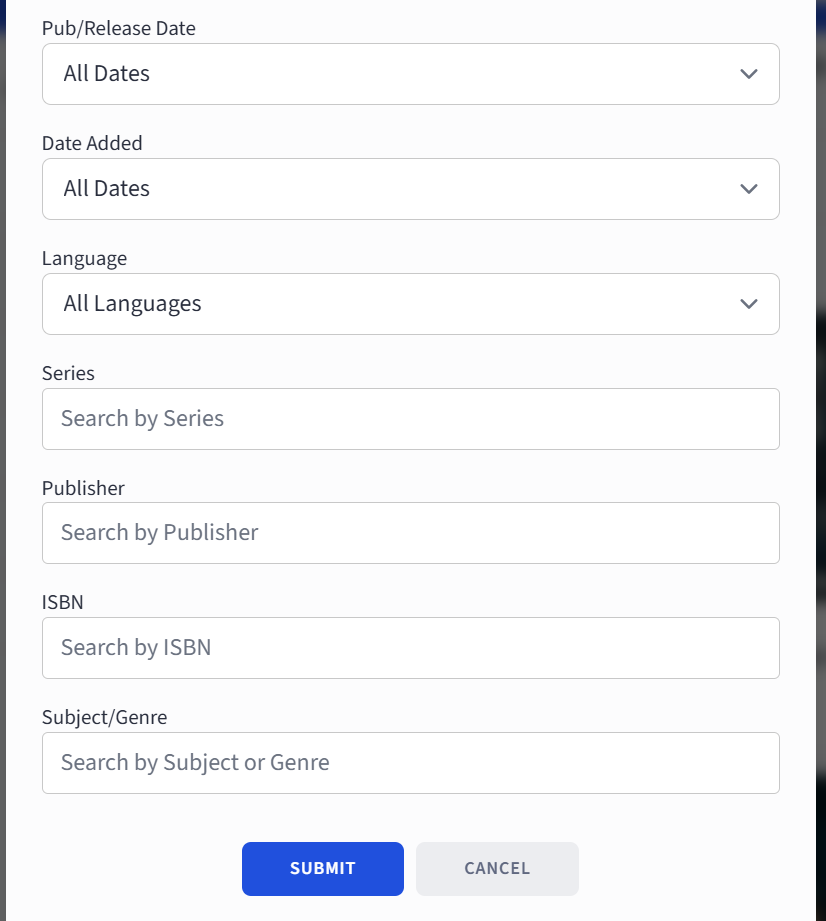
- Click on the three dots in the search bar and enter as many of these details as you know:
- Title
- People
- Keywords
- Format (choose from the dropdown)
- Pub/Release Date (anywhere between seven days to 12 months)
- Date Added (anywhere between seven days to 12 months)
- Language (choose from the dropdown)
- Series
- Publisher
- ISBN
- Subject/Genre
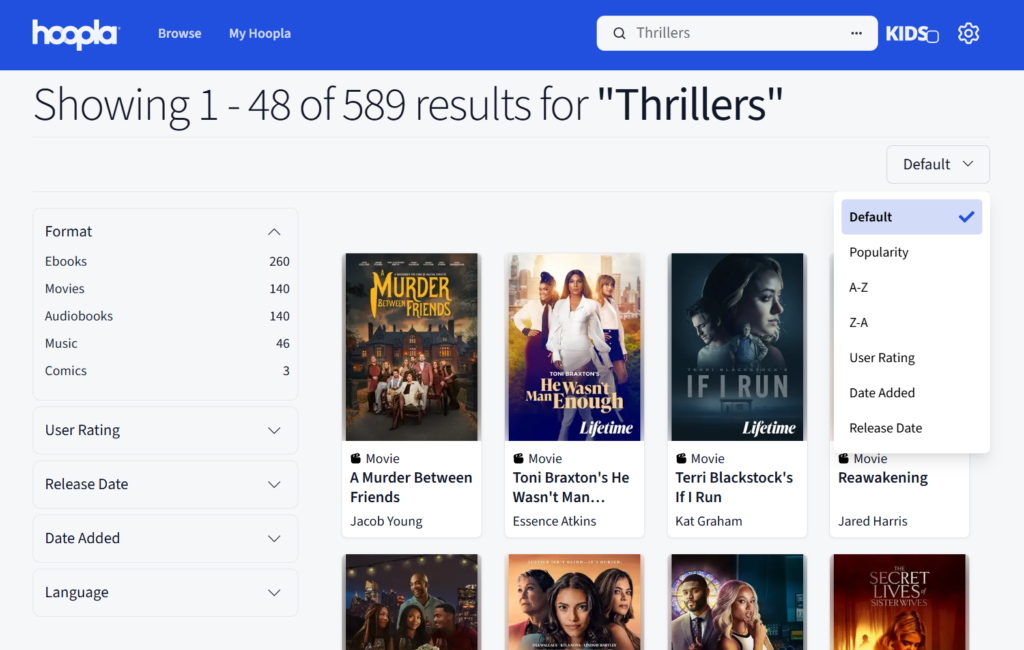
- When you arrive at the results of your search, you can reorder them by clicking on the Default tab and arranging the results by Popularity, Alphabetically, or by User Rating, Date Added, or Release Date.
- Narrow down the results using the five drop boxes on the left:
- Format
- User Rating
- Release Date
- Date Added
How to Find a Recommendation for Something New
Another option for finding a title to borrow is to click on My Hoopla. Scroll down from Recently Borrowed to Recommended for You. Hoopla offers a whole range of recommendations based on your past borrows. Your next favorite read/watch/listen just might be there!
As the all-in-one app for your entire online library, Hoopla has all you need—no matter the format! That’s why we’re the best choice of all library and entertainment apps.
How to Find Specific Genres on Hoopla
Type the genre directly into the search bar—such as “mystery,” “romance,” or “biography.”
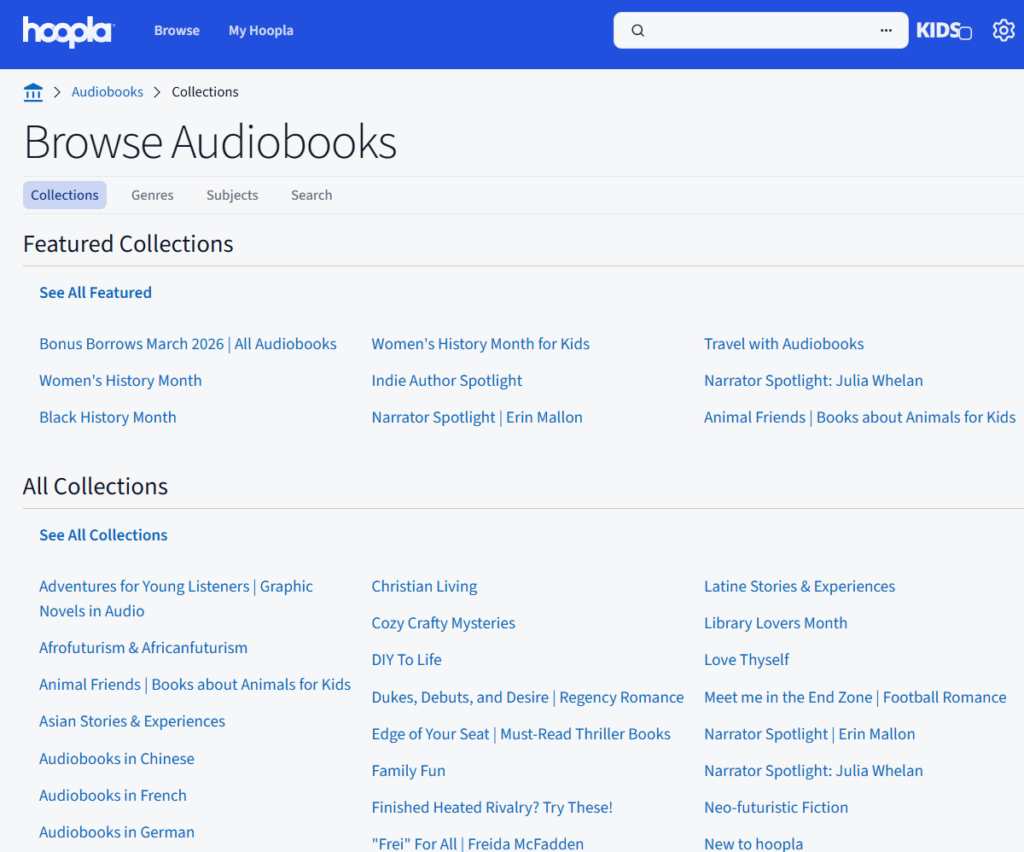
Browse Curated Collections and Themes
If you’re not searching for something specific, browsing curated collections is a great way to discover new content. The Hoopla team regularly highlights themed collections, seasonal picks, and trending titles.
These collections help you:
- Discover new content by category
- Explore trending and featured titles
- Find recommendations for holidays or special events
Browsing collections is especially helpful if you want inspiration without knowing exactly what you’re looking for.
How to Borrow Content on Hoopla
Borrowing content on Hoopla is simple. Only a few quick steps and you are ready to enjoy your borrow, instantly and for free.
Explore and Discover New Favorites
Your online library is more than just a place to check out titles—it’s a space designed for easy exploration. The more you explore, the more personalized your experience becomes. It’s part of what makes Hoopla’s all-in-one app the best library app available.
With a powerful search bar, helpful filters, and thoughtfully curated collections, finding content on Hoopla is simple and enjoyable. The next time you log in, try a new search strategy or browse a featured collection—you might just discover your next favorite read or watch.
*Title availability may vary.


Endless entertainment.
No subscription required.
With Hoopla you can read, listen, and watch for free with your library card.
Get Started