
Be sure to follow these instructions to ensure the best possible Hoopla experience on Samsung TV with improved functionality, automatic updates, and the addition of select BingePasses and SeasonPasses.
If you previously had the Samsung TV Hoopla app, please follow these instructions as the previous version of the app has been removed from the platform.
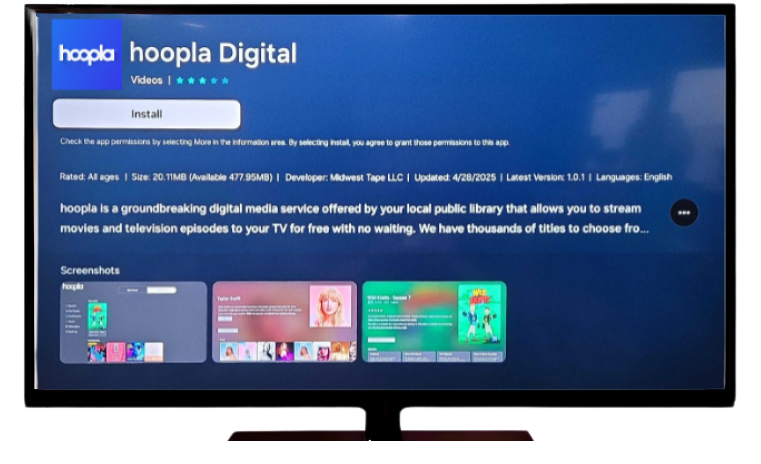
To add the new Hoopla app to your Samsung TV:
- Press the Home button on your remote.
- Navigate to Apps and select.
- Select the Search icon in the top right corner.
- Enter the word “Hoopla” and select the app.
- Select Install.
- Once installed, you can select Add to Home to add the icon to your TV’s home screen for quick access.
- Sign in and enjoy!


Endless entertainment.
No subscription required.
With Hoopla you can read, listen, and watch for free with your library card.
Get Started