

If you’ve got questions about how to stream your favorite TV shows on Hoopla directly to your television, we’ve got answers. It’s easier than you think. Follow the instructions below and you’ll be streaming in no time!
There’s a Hoopla app for the following devices:
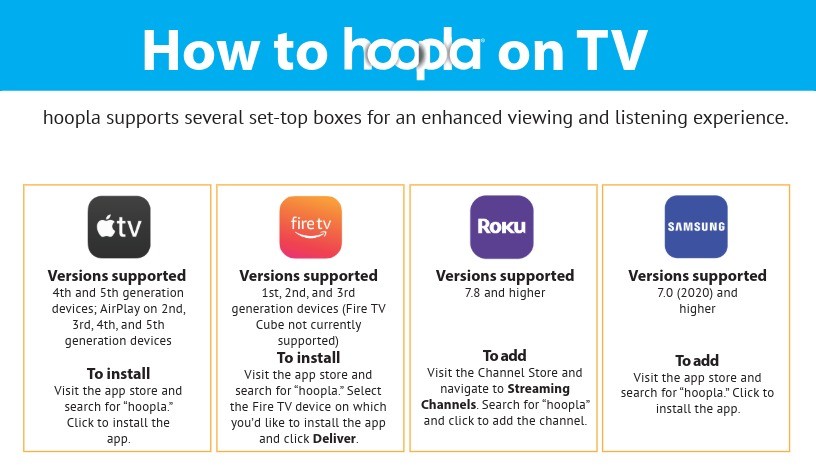
Apple TV – Hoopla can be viewed on 4th and 5th generation Apple TV devices, along with 2nd, 3rd, 4th, and 5th generation AirPlay devices. To install, navigate to the app store, search for Hoopla, and click to install.
Amazon Fire – Amazon Fire TV users can use the Hoopla app for streaming on first, second, and third generation devices. This doesn’t include Fire TV cubes. To install, navigate to the app store, search for Hoopla, and select the Fire TV device you’d like to install the app on, then click deliver.
Samsung TV – The Hoopla app is supported on Samsung devices 7.0 (2020) and higher. To add the app onto your device, navigate to the app store, search for Hoopla, and click to install.
Roku TV – Roku TV users can access the Hoopla app on versions 7.8 and higher. To begin using the app, visit the Channel Store, navigate to Streaming Channels, then search for Hoopla and click to add it.
Sync Your Hoopla Account to Your Television
Syncing your Hoopla account to your television is simple. We’ll walk you through the steps below:
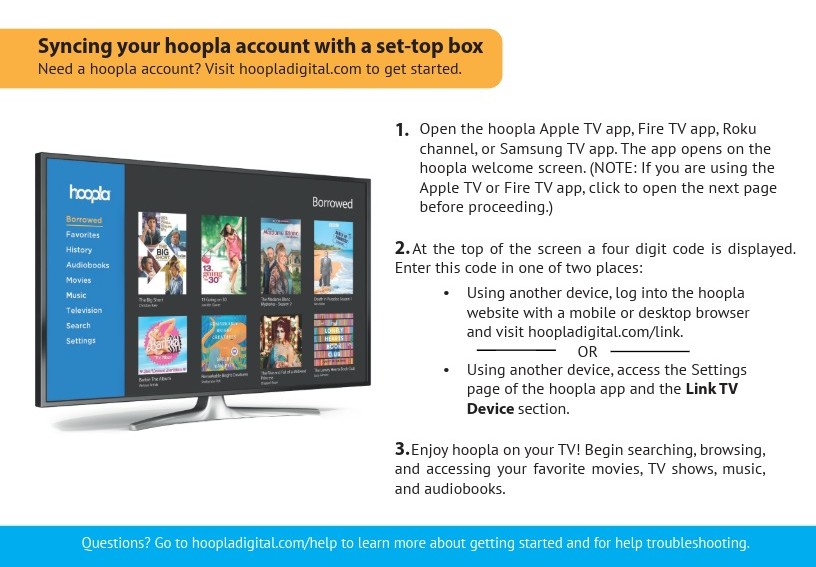
Step 1 – Open the Hoopla app on your device to the Hoopla welcome screen. If you’re on Apple or Fire TV, click to open the next page before moving to the next step.
Step 2 – You’ll see a four-digit code at the top of your screen. You can enter it by logging onto the Hoopla website with your smartphone or laptop, then by navigating to HooplaDigital.com/link.
Alternatively, using a different device, you can navigate to the settings page, then select “Link TV Device,” and enter the four-digit code.
Begin Streaming Your Favorite TV Shows on Hoopla Today— Free with a Library Card!
You don’t have to break the bank on subscription fees to keep up with your favorite shows. Hoopla allows you to borrow your favorite titles at no cost. All you need is a library card! Follow the steps listed above, and you’ll be streaming your favorite television shows and movies in no time.


Endless entertainment.
No subscription required.
With Hoopla you can read, listen, and watch for free with your library card.
Get Started